HelpSystems Access Page
The HelpSystems Access page is displayed whenever the PC-based software is started.
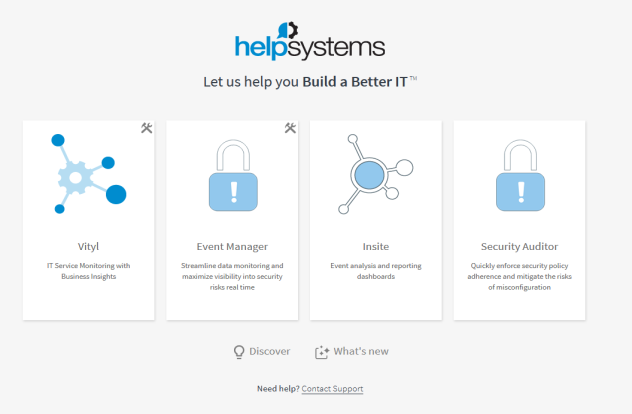
The access page provides the gateway to the configuration and use of HelpSystems applications that you may have installed.
Applications
The following applications may be available when accessing the following HelpSystems software. Click on the relevant logo to access the program.
Vityl
Vityl IT and Business Monitoring allows you to define a service in a few clicks and integrate the information coming from all your technical tools: Infrastructure, Security (SIEM), applications performance, databases, log files, help desk, CRM… anything! Vityl IT & Business Monitoring you detect easily any delay or interruption in a service or process, identify clearly the root cause, and resolve it rapidly, even if it is an issue in a cloud server, or in different platforms or interfaces.
Event Manager
Event Manager reduces alert fatigue by identifying and escalating critical security events, enabling security analysts to respond quickly and effectively. In addition to default settings filtering out insignificant information or benign threats, users can fine tune the data they see, and add inclusion/exclusion rules about what exactly should be processed by Event Manager.
Insite
HelpSystems Insite is a digital hub that integrates and displays your HelpSystems products for a modern web experience. Accessible from any device at any time, it’s a no-cost addition to the product package you receive as a HelpSystems customer.
Security Auditor
Security Auditor centralizes security administration across your cloud, on-premises or hybrid environment. Agentless technology allows you to quickly enforce security policy adherence and mitigate the risks of security misconfiguration – a leading cause of data breaches. Security Auditor automatically protects new systems as they come online and continuously monitors those systems, identifying any configuration settings that don’t match your requirements. You'll be notified of any policy exceptions and can make these changes yourself from an easy-to-use, web-based console, which simplifies tasks and compliance reporting requirements. Alternately, if you prefer more automation, you can run the FixIt function and let Security Auditor do the work for you.
Configuration
The configuration screens of both Vityl IT and Event Manager can be accessed directly by clicking the tools icon  in the top right-hand corner of the respective application.
Please see the Vityl IT & Business Monitoring and Event Manager Configuration Guides for more information.
Discover
Click Discover  to open the HelpSystems website - Solutions page. This allows you to browse for other HelpSystems solutions that may assist with any other issues that your organization may be encountering.
What's New
Click What's New  to open a new page in your browser, detailing everything that is new in the latest versions of the software applications.
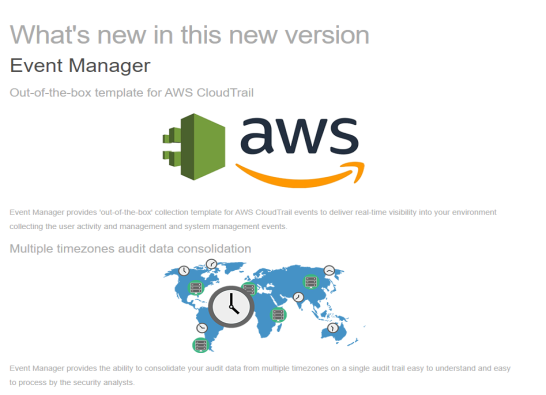
Use the vertical scroll bar to move through the page to view text, graphics and in some cases, interactive demos, highlighting the new features and enhancements included in the latest release.
At the bottom of each application section, click the Explore button to access the application or View Full Release Notes to view the complete list of features, enhancements and fixes included in the latest release.
Support
If you require additional support for the software product that you are using, click Contact Support to raise a helpdesk ticket into which you can enter the details of your request.