PCI Compliance Reporting
We recommend you fill out the PCI Report Details and PCI Scope Details in the scan group for easier reporting.
To create a PCI report, select + New from the header and then select Report.
-
In the Report type options, select Scan Group if a scan group was used and select Multi-scan if separate scans were created.
-
For Scan Group reports, use the Scan Group source drop-down menu to select the desired scan and run period.
For multi-scan reports, designate the appropriate year and quarter, then add each relevant scan from the Scan(s) Source drop-down menu. You can add scans from WAS and VM to the same report. -
From the Report template options, select the desired report such as the PCI ASV Scan Attestation of Compliance or PCI Compliance Report (bundle).
-
Select any other desired options, and then select Run report.
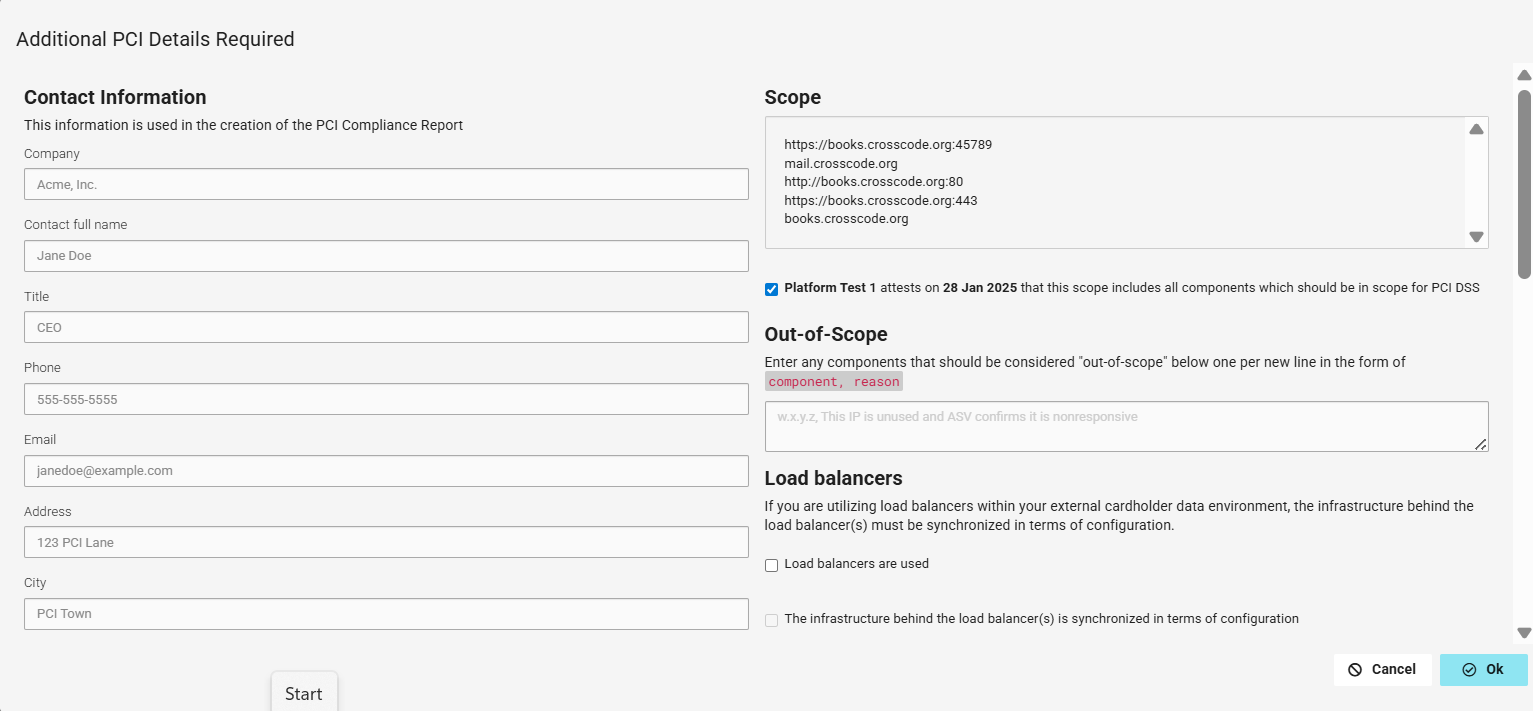
A box will display for Additional PCI Details Required. If the PCI Contact Details were filled out in the scan group, this information will populate automatically.
-
Fill out the Contact information fields.
-
See scan Scope.
Select the checkbox to attest to the validity of the scope (required). -
Out-of-Scope items can be declared in the designated field.
-
Declare Load balancers, if employed.
-
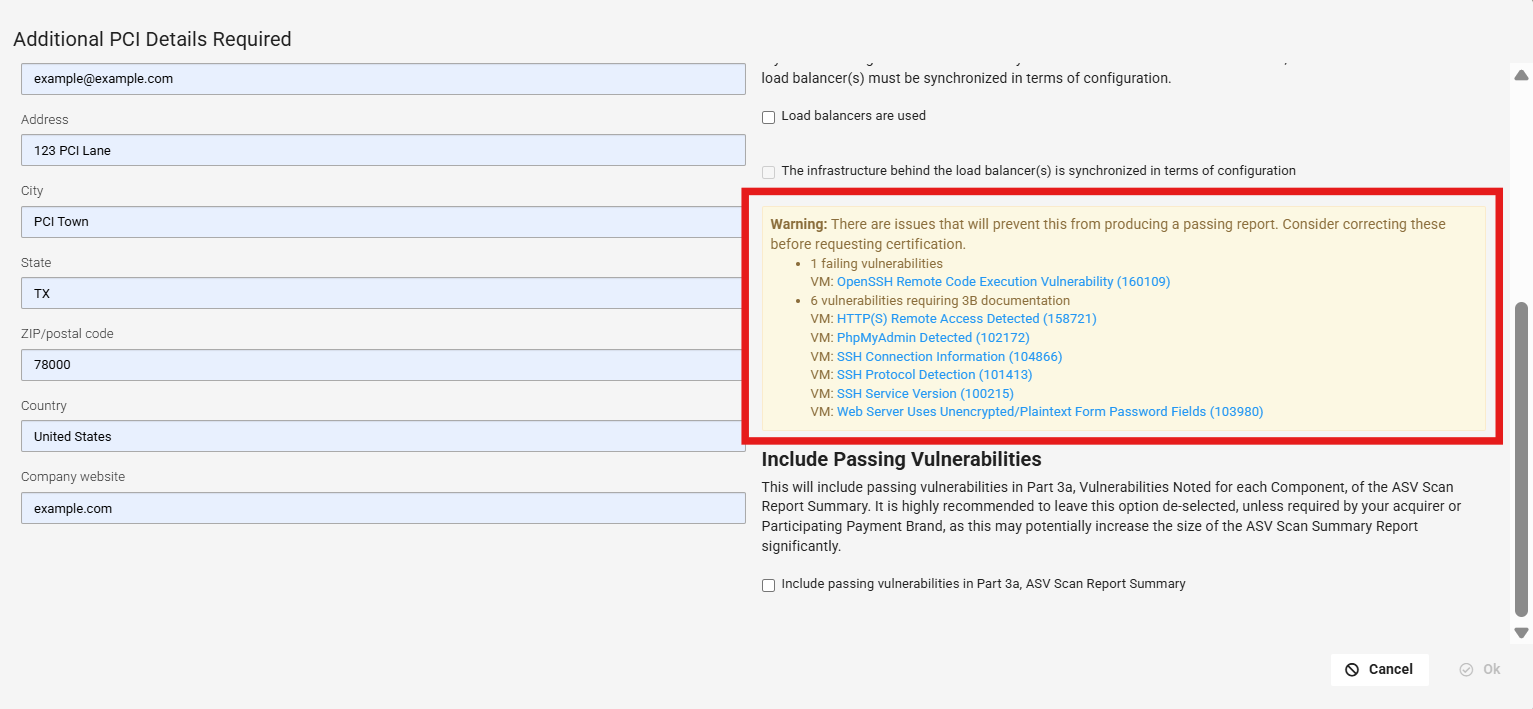
Any issues that can prevent the report from passing will appear in the yellow Warning box. We recommend resolving these issues before proceeding; otherwise, the report will include a "Fail" stamp.
-
For best performance, leave Include Passing Vulnerabilities unselected.
-
Unless otherwise specified by the scan customer, the acquirer, or Participating Payment Brand, vulnerabilities that do not impact PCI DSS compliance (for example, low severity vulnerabilities will be omitted from the ASV Scan Report Summary (Part 3a). Including all vulnerabilities may increase the size of the report significantly.
-
-
Select OK to run the report.
Complete PCI documentation
After you address all PCI vulnerabilities, you need to prepare required PCI compliance documentation and submit it.
To complete final PCI compliance documentation:
-
Prepare final PCI Compliance scan reports.
-
Prepare Self-Assessment Questionnaire (SAQ) and Attestation of Compliance.
-
Submit final PCI scan reports, SAQ, and Attestation of Compliance.