Run a PCI Scan Using the Multi-scan Method
Fortra recommends you use a scan group for PCI-ASV scans, but PCI compliance reports can be generated for scans that were run independently. Below is a description of how to set up PCI scans without use of a scan group. After completion, you can use the multi-scan method for reporting to generate reports.
Set up a multi-scan in Fortra VM
-
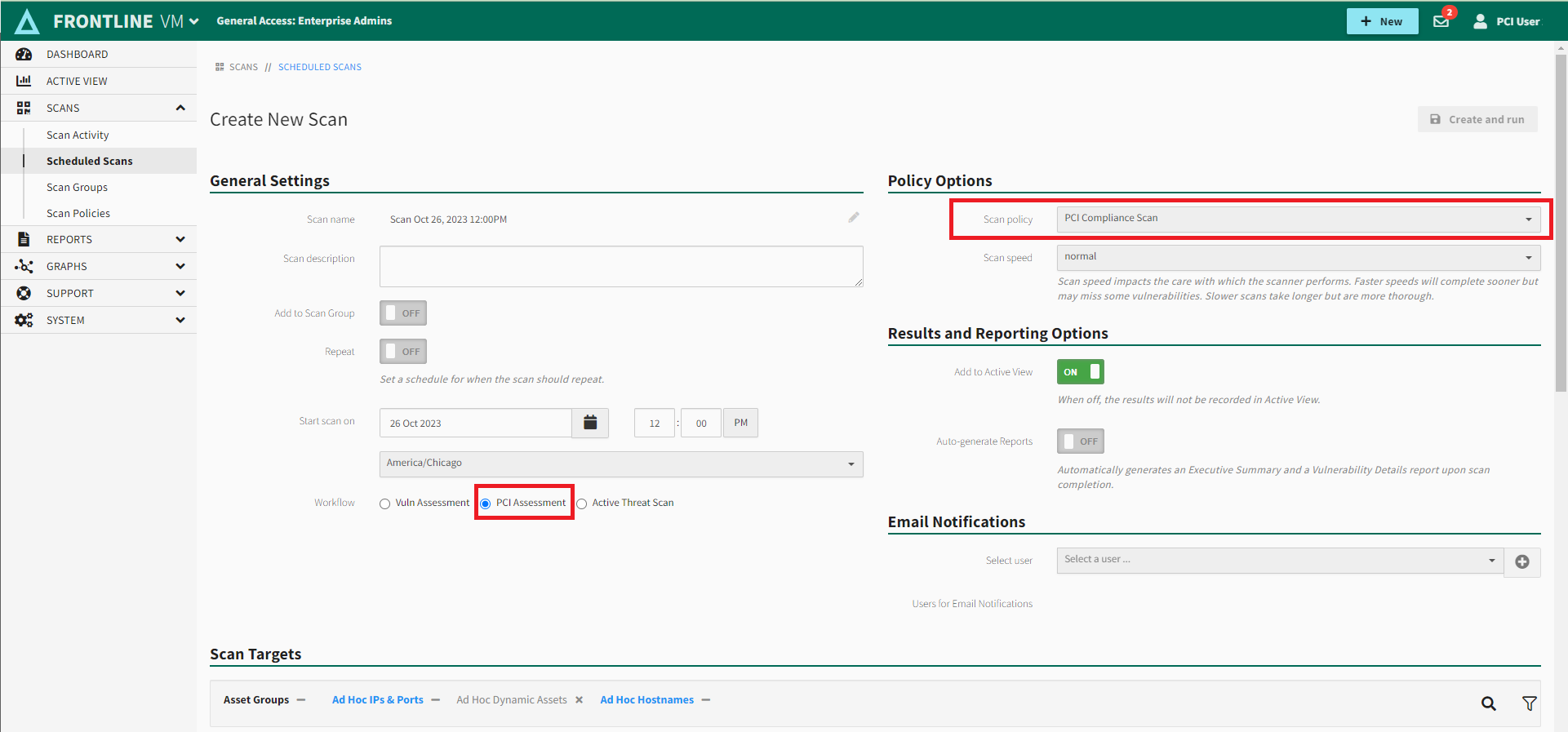
From the Scan Activity page, select New scan and fill in the scan details.
-
Select PCI Assessment from the Workflow options and use the Scan Targets fields to add a scope to your scan (e.g. host IP addresses, ports, asset groups).
-
Select Create and run when finished to start or schedule the scan.
-
Use the side menu to return to Scan Activity.
-
Once the scan is complete you can select it to access PCI results.
Set up a multi-scan in WAS
-
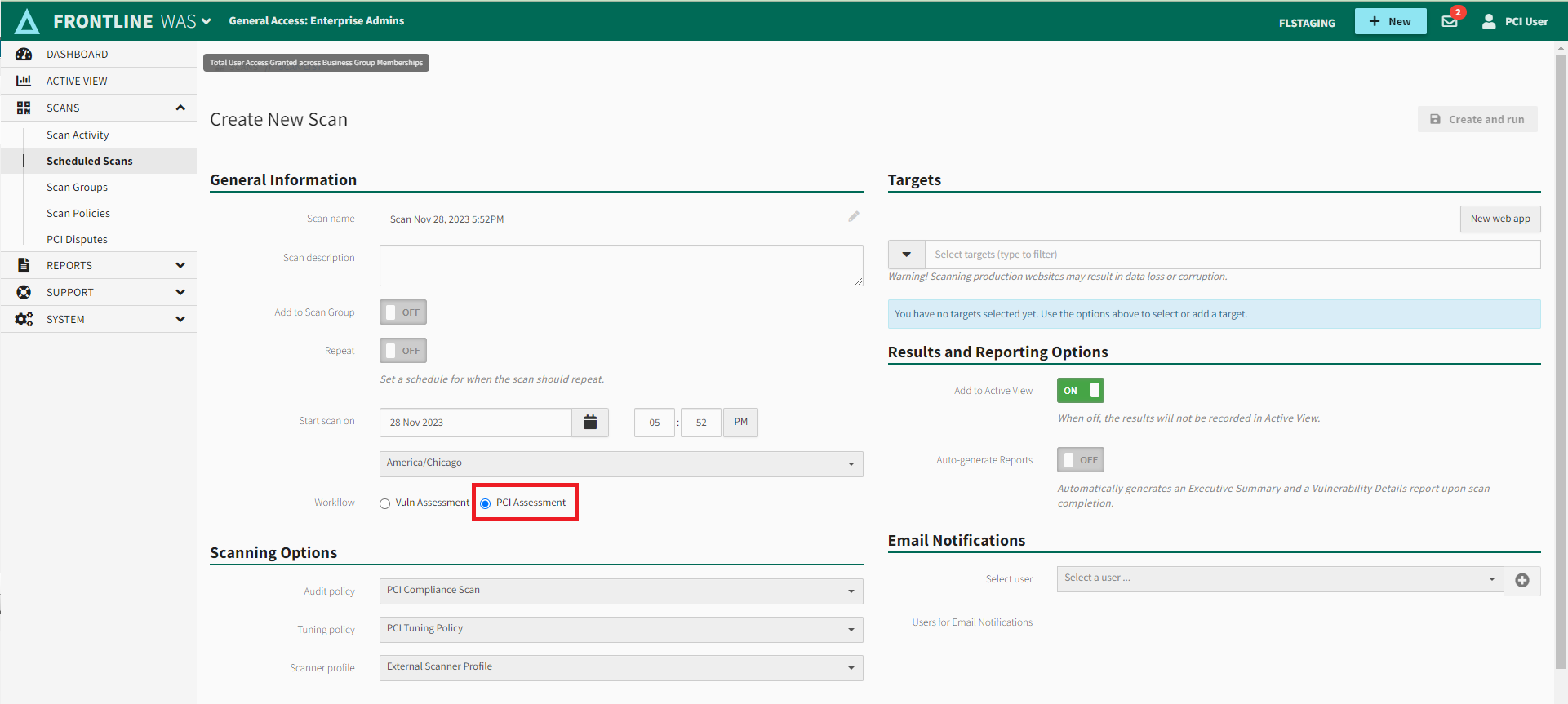
From the Scan Activity page, select New scan and fill in the scan details.
-
Select PCI Assessment from the Workflow options and use the Scan Targets fields to add a scope to your scan with the required web app(s).
-
Select Create and run when finished to start or schedule the scan.
-
Use the side menu to return to Scan Activity.
-
Once the scan is complete you can select it to access PCI results.