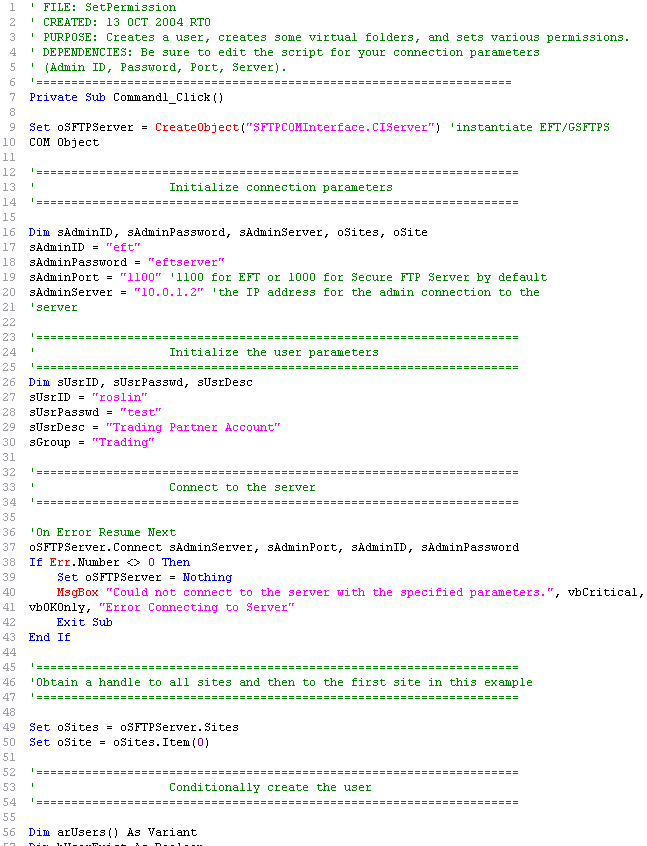
As you identify tasks that you can perform with scripts, you will quickly have a large collection of scripts that you want to save, share with other administrators, and reuse. For ease of use and maintenance, you should develop a scripting standard that all administrators follow when creating and editing scripts in the collection. Following a standard style allows any administrator to open a script, know its purpose, and make any necessary customization. When you view/create scripts in Notepad, it is very difficult to separate comments from code. Following a standard scripting/coding style will make your scripts easier to read. There are also many tools (e.g., EditPlus) that display the various components in different colors, making reading easier.
Below are some suggestions for scripting standards.
The top of the script should have a commented section that contains the script's name, author, creation date, modified date, modified by, description (its purpose), and requirements/dependencies of the script (e.g., AD-specific, EFT Server Enterprise only), if any.
Comments before each subsection stating the purpose of the section
Comments regarding where the data or result is stored/comes from (e.g., writes the result to the Windows Event Viewer; appears in EFT Server Admin Actions report)
Coding conventions might include naming conventions for objects, variables, and procedures; commenting conventions; and text formatting and indenting guidelines.
Below is part of a vbs script showing a basic script header and commented subsections.