
The ICIServer interface allows you to manage the Server, including the Server's SSL Certificate settings. In the Administrator interface, you can access the SSL certificate settings on the Administration tab by clicking Configure next to the Require SSL check box. The illustration below is labeled with some of the methods and properties that are available in the ICIServer interface. (Not all methods and properties are represented in the GUIs.)
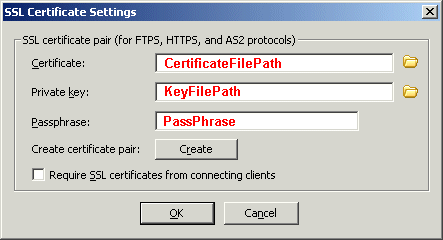
Editing the File Path for Certificates (CertificateFilePath)
Editing the Cipher List (CipherList) (Refer to Server Security Settings for an illustration of this setting in the Administrator interface.)