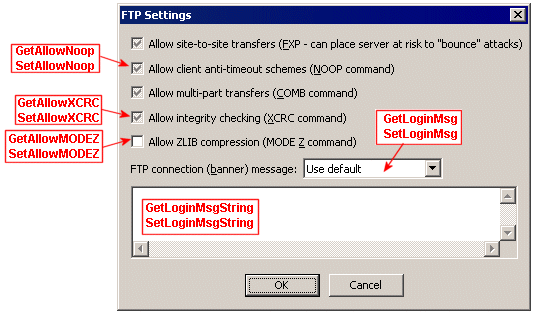
User FTP security settings in the COM API include allowing or blocking anti-timeout schemes, integrity checking, and Mode Z compression. You can also specify a login (banner) message other than the default. You can view/set FTP security settings in the Administrator interface on the user's Connections tab by clicking FTP Config. The dialog box below is labeled with some of the parameters that are available in the ICIClientSettings interface.