
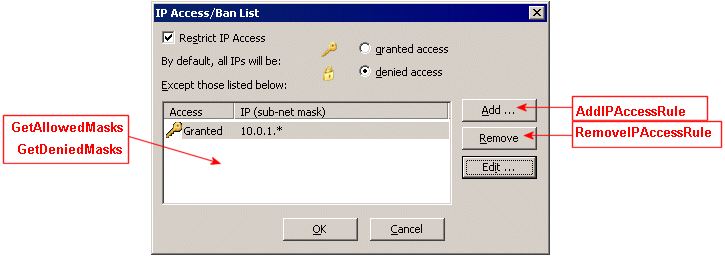
User IP access ban list settings in the COM API include getting/setting the IP addresses that are granted or denied access to the Site. You can view/set these settings in the Administrator interface on the user's Connections tab by clicking Configure next to IP Access Ban List. The dialog box below is labeled with some of the parameters that are available in the ICIClientSettings interface.
Retrieving Allowed IP Masks for a User (GetAllowedMasks)
Retrieving Denied IP Mask for a User (GetDeniedMasks)