
You can create an e-mail notification action for Event Rule and AS2 Transaction success/failure notifications. The default HTML text is shown in the dialog box below. To save time, you can create an e-mail notification template. (Refer to "Creating an E-mail Notification Template" in the EFT Server help documentation.)
|
|
On Sites using AD Authentication, the EFT Server must have "Log On as a domain user" permission in order for e-mail notifications to work. |
The dialog box below is labeled with the parameters that are available in the Mail Action Parameters interface.
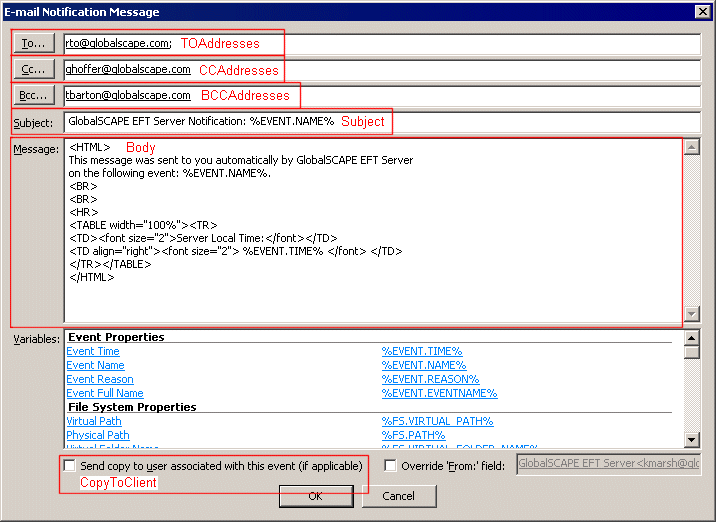
Retrieving or Changing Message Recipients (TOAddresses, CCAddresses, and BCCAddresses)
Retrieving or Changing Message Subject (Subject)
Retrieving or Changing Message Body (Body)
Determining whether to CC Message to Client Associated with Event (CopyToClient)
