Enable HSTS
HTTP Strict Transport Security (HSTS) is web security policy to protect websites against protocol downgrade attacks and cookie highjacking. You can use HSTS response headers to tell browsers that your site only works via HTTPS. The response header indicates to the browser that you don’t want to use HTTP requests, and it will automatically make requests to the same origin with a secured connection. When you try to access the same URL via HTTP again, browsers will use HTTPS and redirect internally.
-
HSTS can be enabled in the administration interface without "HTTP -> HTTPS redirect" enabled.
-
HSTS is available only when HTTPS is enabled.
-
EFT sends HSTS headers when the client connects (if HSTS is enabled).
-
HSTS is enabled by default on new installs when HTTPS is enabled.
-
HSTS is enabled by default on upgrades if HTTPS was enabled before the upgrade.
-
HSTS is part of the HTTP/S module.
To enable HSTS
-
In the administration interface, connect to EFT and click the Server tab.
-
On the Server tab, click the Site you want to configure.
-
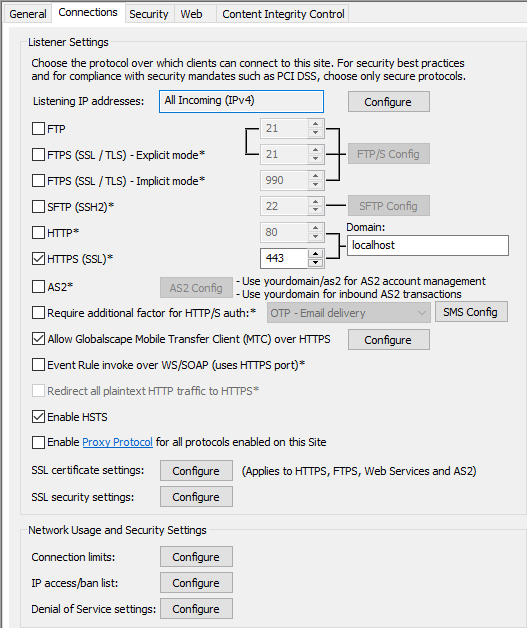
In the right pane, click the Connections tab.
-
Select the Enable HSTS check box.
-
Click Apply to save the changes on EFT.