Logging Event Rule Transfer Failures
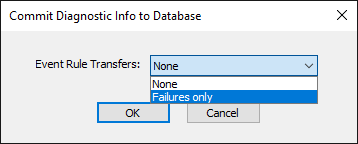
By default, and unless explicitly disabled, EFT will audit and retain all failed file transfer operations initiated by EFT’s event rules to a flat file in EFT’s /AppData/ directory. Optionally, you can instruct EFT to redirect its auditing of failed Event Rule-initiated transfer operations to the Auditing and Reporting (ARM) database. If enabled via this setting, those failed transfer logs will be stored in the tbl_EventRuleTransfers table in the database.
To enable and configure auditing and reporting (Requires EFT Server-level administrator account)
-
In the administration interface, connect to EFT and click the Server tab.
-
On the Server tab, click the Server node you want to configure.
-
In the right pane, click the Logs tab.
-
Next to Audit event rule client outbound transfers, click Configure, then specify whether to save Event Rule transfer failures to the database.
-
Click Apply to save the changes on the server.