
For information about Globalscape, visit www.globalscape.com. |
|
|
For information about Globalscape, visit www.globalscape.com. |
|
You can manually run an Event Rule from within EFT Web Admin.
To execute an Event Rule
Click Event Rules. The Event Rules page appears.
Click the Site on which you want to run an Event Rule. The Event Rule List appears.
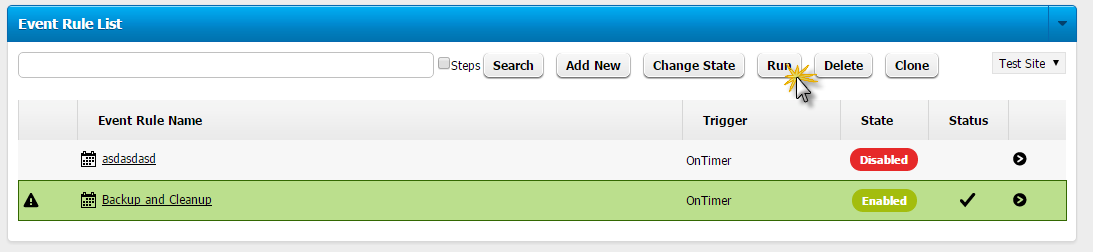
Click the selector icon in the far right column of the Event Rule that you want to run, then click Run. The Run Confirmation dialog box appears.
Click Run. The Event Rule executes.
|
This online help file is for EFT WebAdmin. For other help documentation, please refer to http://help.globalscape.com/help/index.html. (If the Index and Contents are hidden, click Show Contents pane in the top left corner of this topic.) |
