
For information about Globalscape, visit www.globalscape.com. |
|
|
For information about Globalscape, visit www.globalscape.com. |
|
You can view and manage EFT Event Rules execution history in EFT Web Admin.
To view Event Rules execution history
Click Event Rules. The Event Rules page appears.
Click the Site on which you want to view Event Rules. The Event Rule List appears.
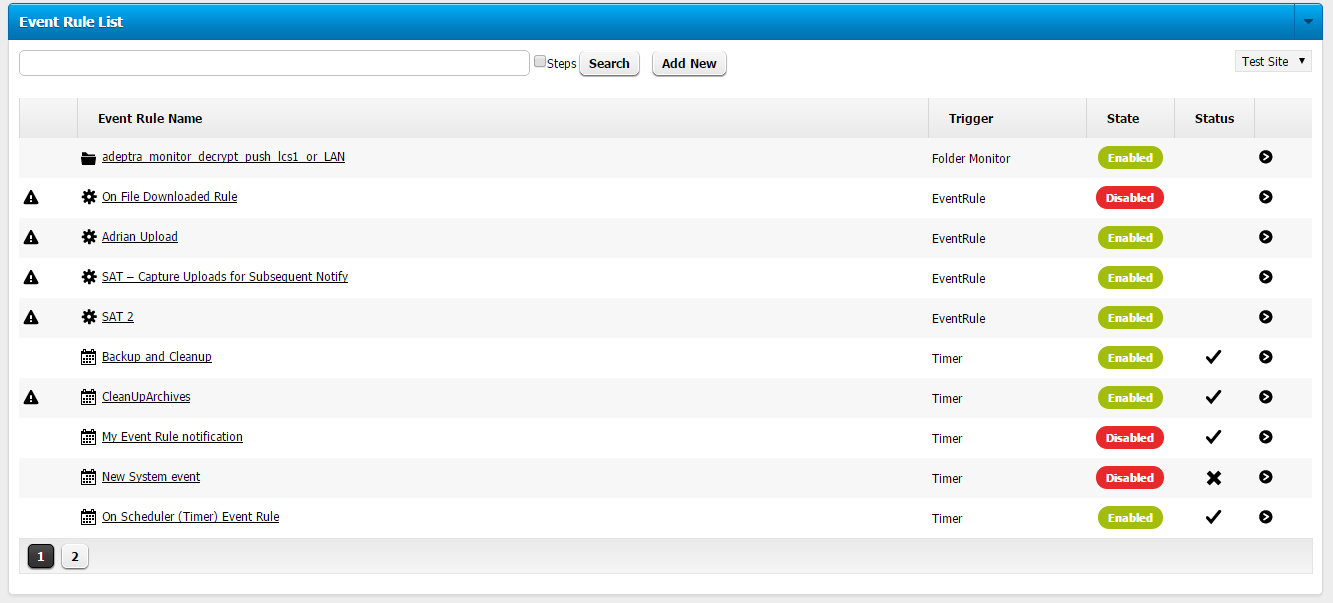
Click the name of the Event Rule. The Event Rule overview appears.
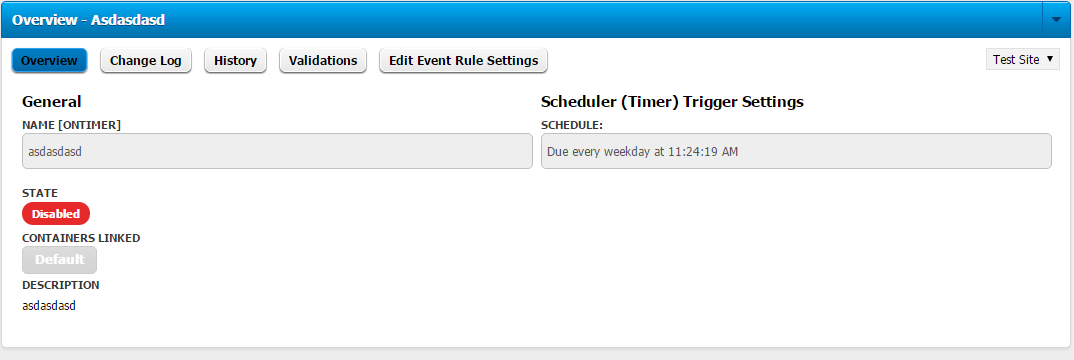
Click History. The selected Event Rule's history appears.
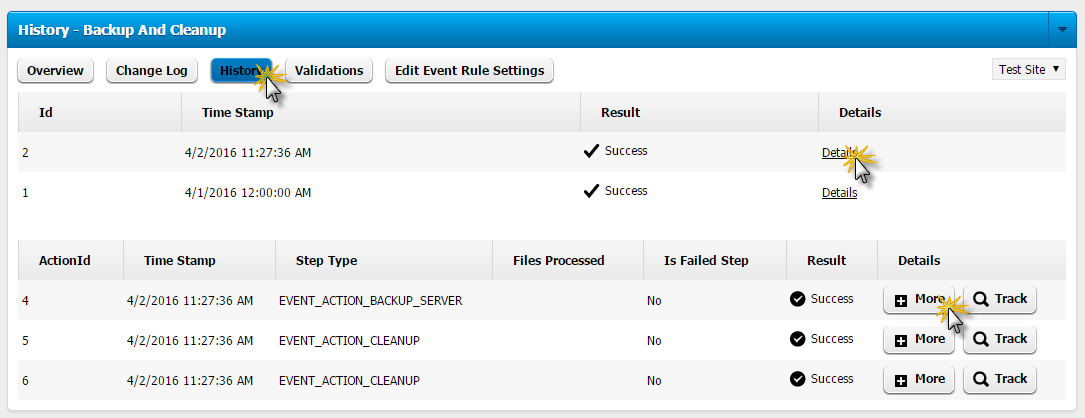
Click Details to display more information about the rule, then click More Details. The More Details message box appears.
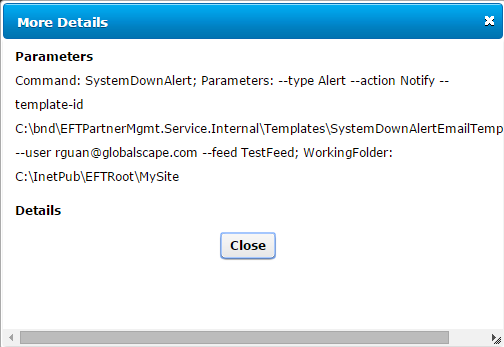
The More Details provides more information, including Custom Commands, parameters, templates, paths, and working folders.
Click Close to dismiss the message.
|
This online help file is for EFT WebAdmin. For other help documentation, please refer to http://help.globalscape.com/help/index.html. (If the Index and Contents are hidden, click Show Contents pane in the top left corner of this topic.) |
