New/Edit Role
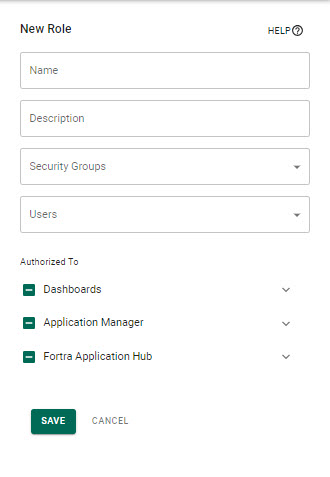
This drawer allows you to add or edit Roles. See Adding and Editing Roles.
How to Get There
-
In the Core Menu, click Security, then click Roles.
-
On the Roles tab, click Add to add a new role
or
Click
 Show Actions next to any existing role and click Edit Role to edit it.
Fields
Name • Description
The name and the description of the Role.
Security Groups
The Security Groups assigned to the Role. See Adding Groups.
Users
The Users assigned to the Role. See Adding Users.
Authorized To
The areas and products of Fortra Application Hub that the role is authorized to.
Cancel • Save
Click Cancel to dismiss the drawer. Click Save to confirm your changes.