Home
The Automate Schedule Ops Console Home page displays information regarding Current Status, Job Activity Summary, and Job Exception Summary sections.
Getting there: In the navigation pane, clicktap Home under the Automate Schedule menu.
Automate Schedule Statuses and Summaries
The Automate Schedule statuses and summaries sections display important statistics about your automation environment in an easy to read interface.
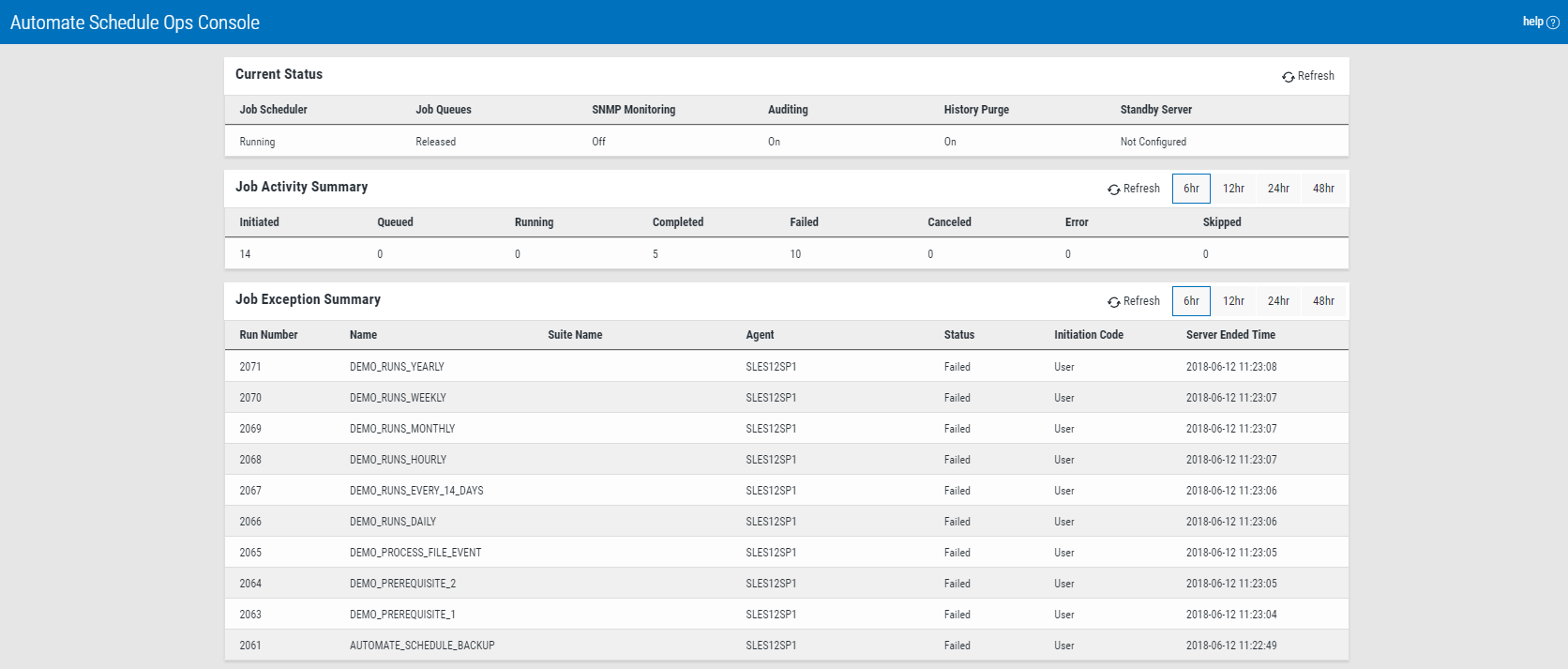
The following describes the available statistics shown by the Automate Schedule statuses and summaries section:
- Current Status: Displays the current status of the Automate Schedule server connected to Insite.
- Job Activity Summary: Displays the activity summary of the jobs running in Automate Schedule. A time filter of 6, 12, 24, and 48 hours is available for filtering.
- Job Exception Summary: Displays a list and information of Failed, Canceled, and Error jobs. A time filter of 6, 12, 24, and 48 hours is available for filtering.