Set Monitor Status (PPLMONSTS)
The Set Monitor Status (PPLMONSTS) command allows monitors and other operational resources to be enabled or disabled. When disabled, the monitor will not be allowed to start until it is again enabled.
Restrictions: You must have authority to process the command.
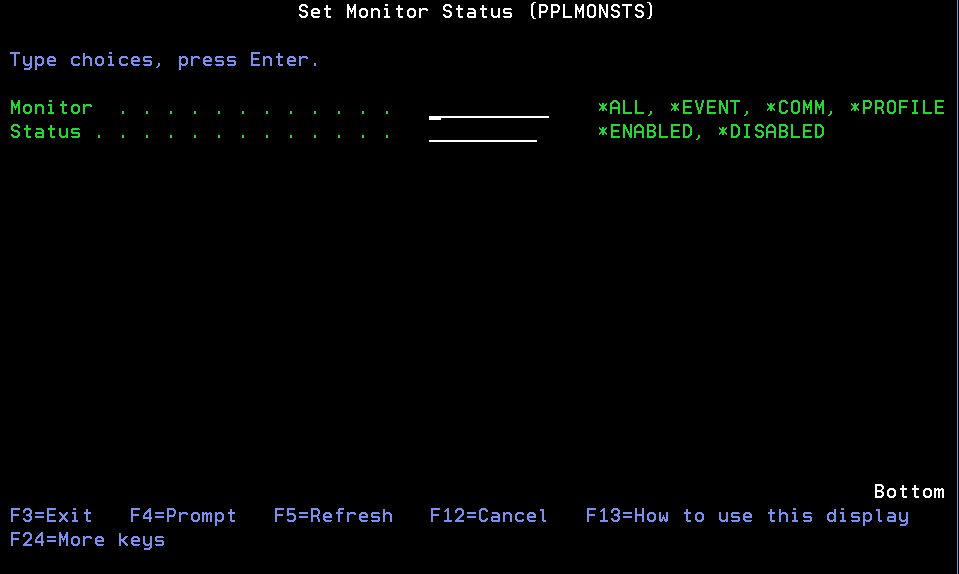
Monitor (MONITOR)
Specify the monitor whose status will be changed.
Valid values
*ALL The status of all monitors and operational resources will be set.
*EVENT The event monitor's status will be set.
*COMM The communcation monitor and server status will be set.
*PROFILE The user profile change monitor status will be set.
Status (STATUS)
Specify the status of the selected monitors.
Valid values
*ENABLED The monitor will be enabled.
*DISABLED The monitor will be disabled. Once disabled, it will not start again until it is enabled.