File propagation
There may come a time when you will need to copy an existing Database Monitor environment, and place it in a new environment.
A program exists that will help in the migration of one environment to another. By calling IDT910 from a command line the following panel will be displayed:
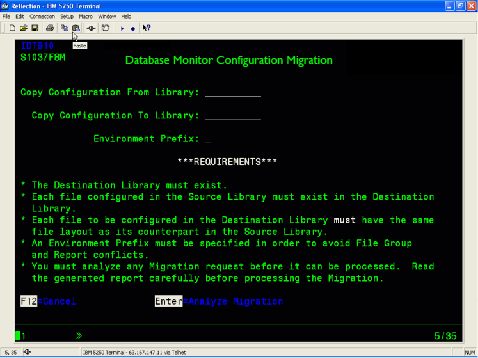
Entering the From Library – The library which currently contains the configuration you wish to copy.
And the To Library – the library you wish to create and the Environment Prefix will enable the system to perform an analysis of the migration. The following is checked during the analysis:
- The file does not already exist in the To Library
- Existing configurations in the To Library
- Complete file group records exist and can be copied
- Existing Workflow configurations in the To Library
The Environment Prefix will be used to copy and rename all file groups within the copied environment. This is done to avoid duplication within the file groups
Once all reports have been checked, and there are no existing issues, the migration can be processed. All file/field information will be duplicated within Database Monitor for the selected library.