Activate Field Encryption (ACTFLDENC)
The Activate File Fields Encryption (ACTFILFLDE) command will activate any *INACTIVE entries in the Field Encryption Registry for the file that use Field Procedures.
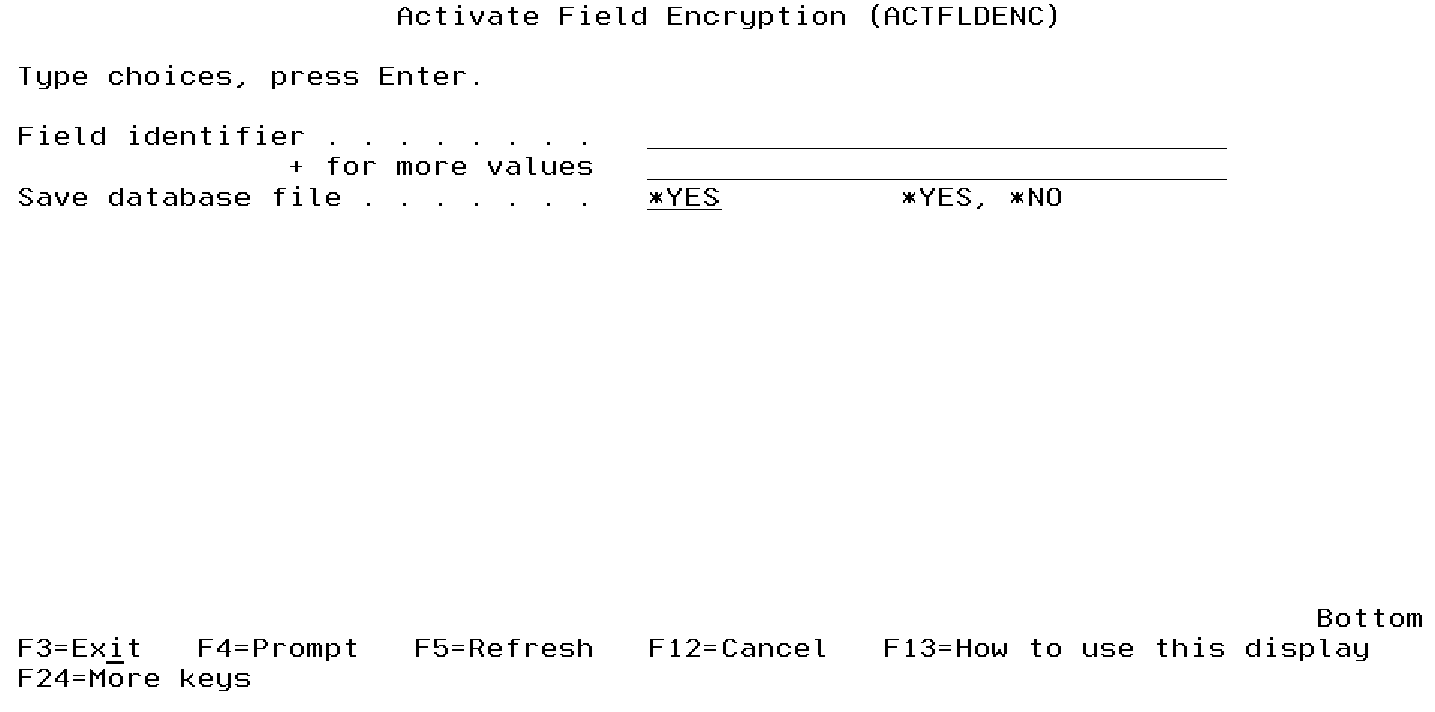
It is strongly recommended to submit this command to batch.
The following users can use this command:
- QSECOFR user profile (unless excluded in the Key Officer settings)
- A user profile with *SECADM authority (unless excluded in the Key Officer settings)
- A Key Officer who has a *YES specified for the "Maintain Field Enc. Registry" authority setting
This command requires that you have *CHANGE authority to the CRVL002 Validation List (*VLDL) object which contains the Field Encryption Registry.
- Make sure you have *ALL authority to the database file containing the field to encrypt.
- Within a test environment, you should have tested ACTFILFLDE, tested any API calls needed for encryption/decryption and tested your applications thoroughly with encrypted values.
- No applications or users should be currently using the database file containing the field to encrypt.
- The ACTFILFLDE command will perform a mass encryption of the current field values. You should allocate enough downtime for the ACTFILFLDE to execute. Execution times will vary depending on the processor speed of your system, the number of records in your database file, and other activity running on the system at the time. In order to estimate the execution time for ACTFILFLDE, you should run the ACTFILFLDE command over some test data first.
- Check (and double check) the field entry settings using the DSPFLDENC command. Especially make sure the database file name, field name, type and length is correct.
IMPORTANT: When activating a field using a DB2 Field Procedure, and if there are already other DB2 Field Procedures on the file, then you should have at least *USE authority to the 'Full' Authorization Lists assigned to those other fields, as well as at least *USE authority to the Key Stores that contain the encryption and decryption Keys used by those fields. This is because IBM's ALTER TABLE statement (used in the activation process) runs the decrypt/encrypt processes for all fields that have a DB2 Field Procedure. Failure to have proper authorities will cause loss of data.
The ACTFILFLDE command performs the following primary steps:
- Obtains an exclusive (*EXCL) lock on the database file containing the field to encrypt.
- Optional: Creates a backup of the database file (containing the field to encrypt) into a Save file named BACKUPxxxxx, where xxxxx is a sequential number from 1 to 99999.
- Performs a mass encryption of the current field values in the database file. If a DB2 Field Procedure is specified for the field, then it will be added to the field at that time.
- The exclusive lock will be released on the database file containing the encrypted field.
- The status of the field entries will be changed to *ACTIVE.
Notes on ACTFLDENC:
- After the ACTFLDENC command completes: Once you have determined that your applications are working properly with the encrypted values, you can remove the Save file (created in step 3 above) containing a backup of the database file.
- If an external file is specified for storing the encrypted values:
- The external file will be created with the same authorities as the database file containing the field to encrypt. After the ACTFLDENC command completes, you can adjust the authorities on the external file (if needed) using the EDTOBJAUT command.
- The external file will be created with the parameter of SIZE(*NOMAX), which will allow the external file to contain an unlimited number of records. After the ACTFLDENC command completes, you can adjust the SIZE limit on the external file (if needed) using the CHGPF command.
- Any users that need to encrypt the field values will need *CHANGE authority to the CRVL002 *VLDL object, which holds the field registry information. Any users that need to decrypt the field values will need at least *USE authority to the CRVL002 *VLDL object.