Deactivate Field Encryption (DCTFLDENC)
The DCTFLDENC command allows authorized users to deactivate a field entry in the Encryption Registry.
The following users can use the DCTFLDENC command:
- QSECOFR user profile (unless excluded in the Key Officer settings)
- A user profile with *SECADM authority (unless excluded in the Key Officer settings)
- A Key Officer that has a *YES specified for the “Maintain Field Enc. Registry” authority setting
This command can only be used for field entries that have an *ACTIVE status.
It is strongly recommended to submit this command to batch.
This command requires that you have *CHANGE authority to the CRVL002 Validation List (*VLDL) object, which contains the Field Encryption Registry.
- Make sure you have *ALL authority to the database file containing the field to decrypt.
- Make sure you have at least *USE authority to the Key Store(s) which hold the Data Encryption Keys (DEKs) that will be used to decrypt the data. You can use the WRKFLDKEY command to find out which Key Store(s) and DEKs are used to decrypt the field values. If you created any of these DEKs yourself, in which you are considered the owner of these DEK(s), then the “DEK decrypt usage by owner” setting (viewable in the DSPKEYPCY command) must be a *YES.
- If SQL triggers or DB2 Field Procedures are not used to auto-encrypt the field values: All programs that maintain (add/change/delete) records in the database file should be modified to not call Powertech Encryption for IBM i’s APIs for encrypting the field values.
- If a DB2 Field Procedure is not used to auto-decrypt the field values: All programs that required access to the decrypted field values should be modified to not call Powertech Encryption for IBM i’s decryption APIs.
- Within a test environment, you should have tested DCTFLDENC and tested your applications thoroughly with decrypted values.
- No applications or users should be currently using the database file containing the field to decrypt.
- The DCTFLDENC command will perform a mass decryption of the current field values. You should allocate enough downtime for the DCTFLDENC to execute. Execution times will vary depending on the processor speed of your system, the number of records in your database file, and other activity running on the system at the time. In order to estimate the execution time for DCTFLDENC, you should run the DCTFLDENC command over some test data first.
Recommendations for DCTFLDENC command:
- Run DCTFLDENC in batch using the SBMJOB command.
- Specify *YES for the “Save database file” parameter to save a copy of the database file into a Save File before the deactivation process. This option is important for error recovery purposes.
- Ensure that enough disk space is available for a saved copy of the database file.
Do the following steps to deactivate a field entry in the Encryption Registry:
- Prompt (F4) the command CRYPTO/DCTFLDENC.
- Enter the Field identifier to deactivate, then press Enter.
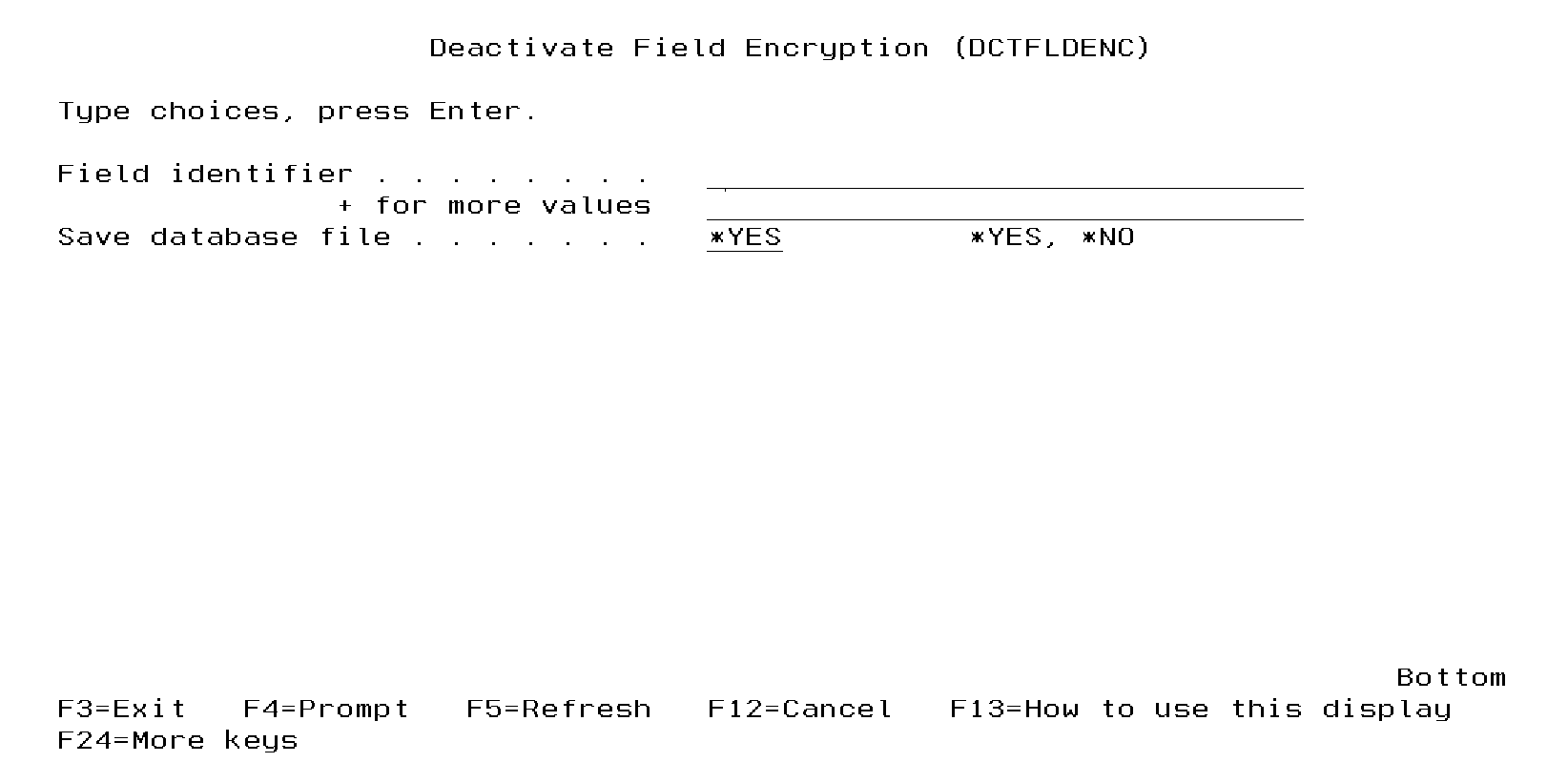
The DCTFLDENC command performs the following steps:
- Obtains an exclusive (*EXCL) lock on the database file containing the field to decrypt.
- If an external file was used for storing the encrypted values, then that external file will be backed up into a Save file named BACKUPxxxxx, where xxxxx is a sequential number from 1 to 99999.
- Optional: Creates a backup of the database file (containing the field to decrypt) into a Save file named BACKUPxxxxx, where xxxxx is a sequential number from 1 to 99999.
- Performs a mass decryption of the current field values. If a DB2 Field Procedure was specified for the field, then it will be removed from the field at that time.
- If SQL triggers were used for automatically encrypting the field values, then the SQL triggers will be removed from the file.
- If an external file was used for storing the encrypted values, then that external file will be deleted.
- The exclusive lock will be released on the database file containing the decrypted field.
- The status of the field entry will be changed to *INACTIVE.
Notes on DCTFLDENC:
- After the DCTFLDENC command completes: Once you have determined that your applications are working properly with the decrypted values, you can remove the Save files (created in steps 2 and 3 above) containing the backup of the external and database files.