Setup
To setup Browser pivoting, go to [beacon] -> Explore -> Browser Pivot. Choose the Internet Explorer instance that you want to inject into. You may also decide which port to bind the browser pivoting proxy server to as well.
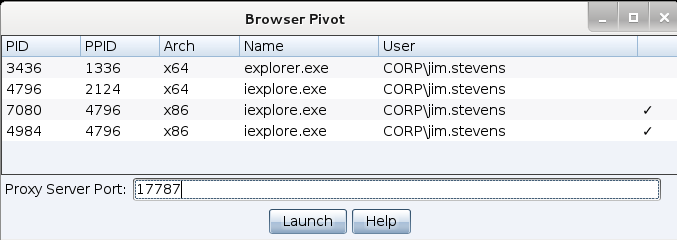
figure 64 - Start a Browser Pivot
Beware that the process you inject into matters a great deal. Inject into Internet Explorer to inherit a user’s authenticated web sessions. Modern versions of Internet Explorer spawn each tab in its own process. If your target uses a modern version of Internet Explorer, you must inject a process associated with an open tab to inherit session state. Which tab process doesn’t matter (child tabs share session state).
Identify Internet Explorer tab processes by looking at the PPID value in the Browser Pivoting setup dialog. If the PPID references explorer.exe, the process is not associated with a tab. If the PPID references iexplore.exe, the process is associated with a tab. Cobalt Strike will show a checkmark next to the processes it thinks you should inject into.
Once Browser Pivoting is setup, set up your web browser to use the Browser Pivot Proxy server. Remember, Cobalt Strike’s Browser Pivot server is an HTTP proxy server.
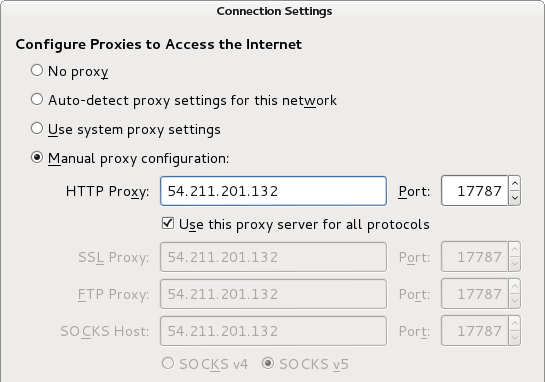
figure 65 - Configure Browser Settings