Beacon Interpreter
Beacon Interpreter introduces a new way to remotely instrument endpoints that are running Beacon. Instead of building BOFs independently of Cobalt Strike, you can write and load scriptable C code directly in the Cobalt Strike client. When you run the code, the Team Server compiles it to intermediate bytecode and sends it to Beacon to execute in a virtual machine.
This approach is useful when you do not want any memory allocations in unbacked memory to change from read-write to read-execute. Frequent BOF execution can cause memory fluctuation events to trigger as you switch back and forth from RW to RX memory, which can provide valuable telemetry for EDR products. Execution in a virtual machine avoids this issue because the bytecode does not need to be executable. It is parsed entirely from read-write memory.
Beacon Interpreter Scripting
In the Cobalt Strike client, you can use several console commands and Aggressor Script functions to execute your interpreter scripts. The client also includes a built-in Beacon Interpreter Script Editor window.
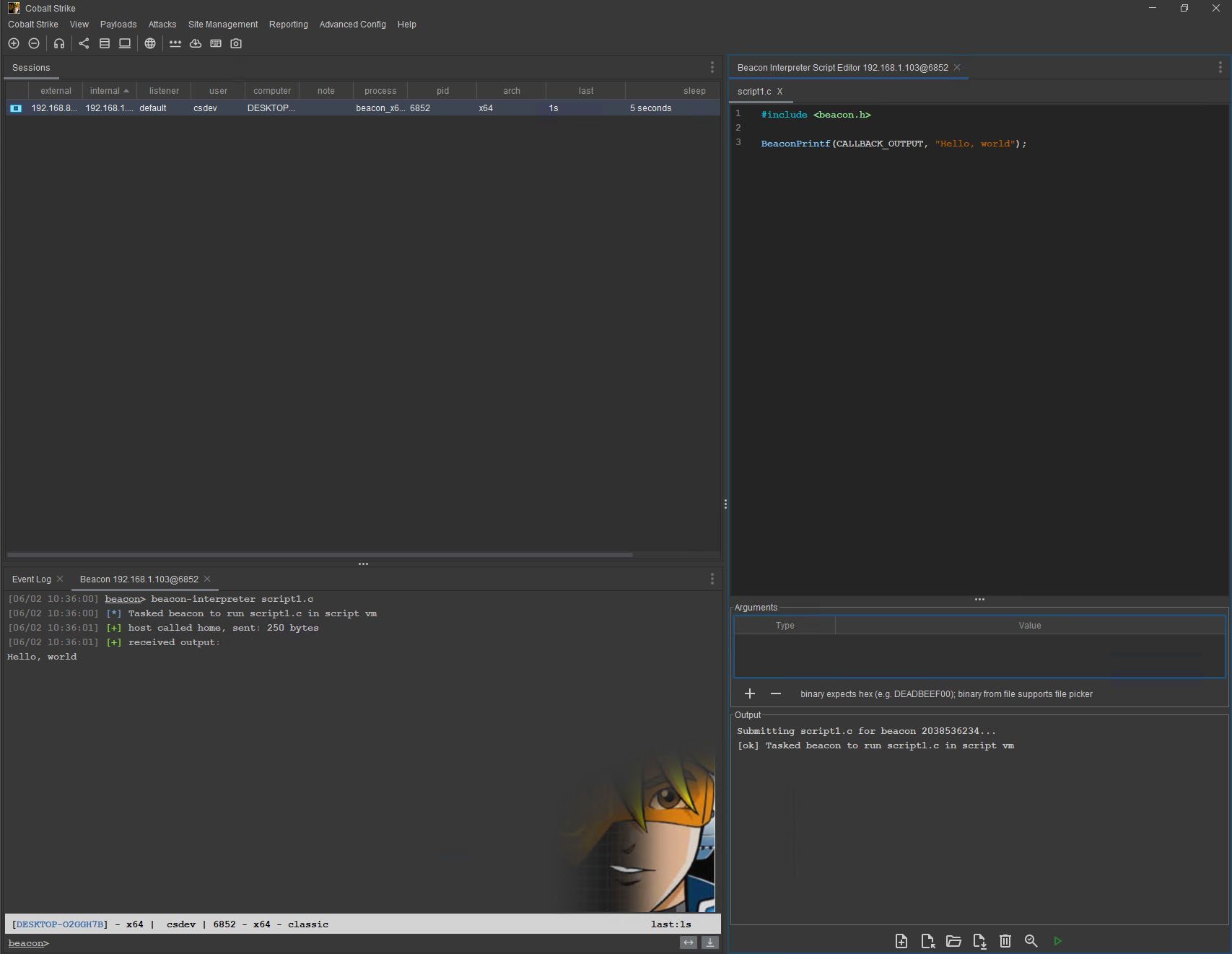
figure 66 - Built-in Beacon Interpreter Script Editor.
You can open the script editor window by right-clicking on a Beacon in the Sessions window or by right-clicking a Beacon console tab. This opens the Beacon Menu. You can open multiple script windows by selecting multiple Beacons in the Sessions window and opening the Beacon Menu to access the script editor.
By default, the script editor window opens as a tab, similar to the Beacon console tab. Starting in version 4.13, you can move tabs and dock them elsewhere in the client. We recommend moving the script editor tab to a dockable location because the default location can make scripts and output difficult to read.
In addition to the script window, you can also use the Beacon console commands beacon-interpreter and beacon-interpreter-lint. The beacon-interpreter-lint command runs your script through the script compiler and reports errors that need to be corrected. It does not send your script code to Beacon.
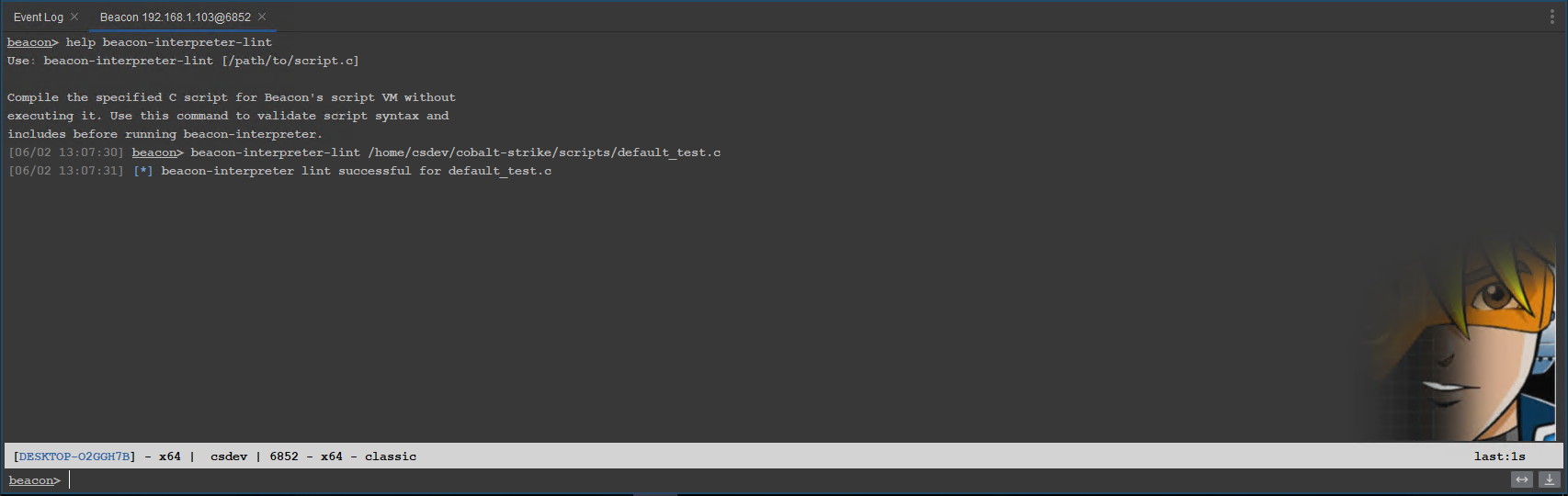
figure 67 - beacon-interpreter-lint command in the Beacon console.
When you are ready to execute your script in the Beacon VM, run beacon-interpreter. The command compiles the script to intermediate bytecode and sends it to Beacon for execution in the VM.
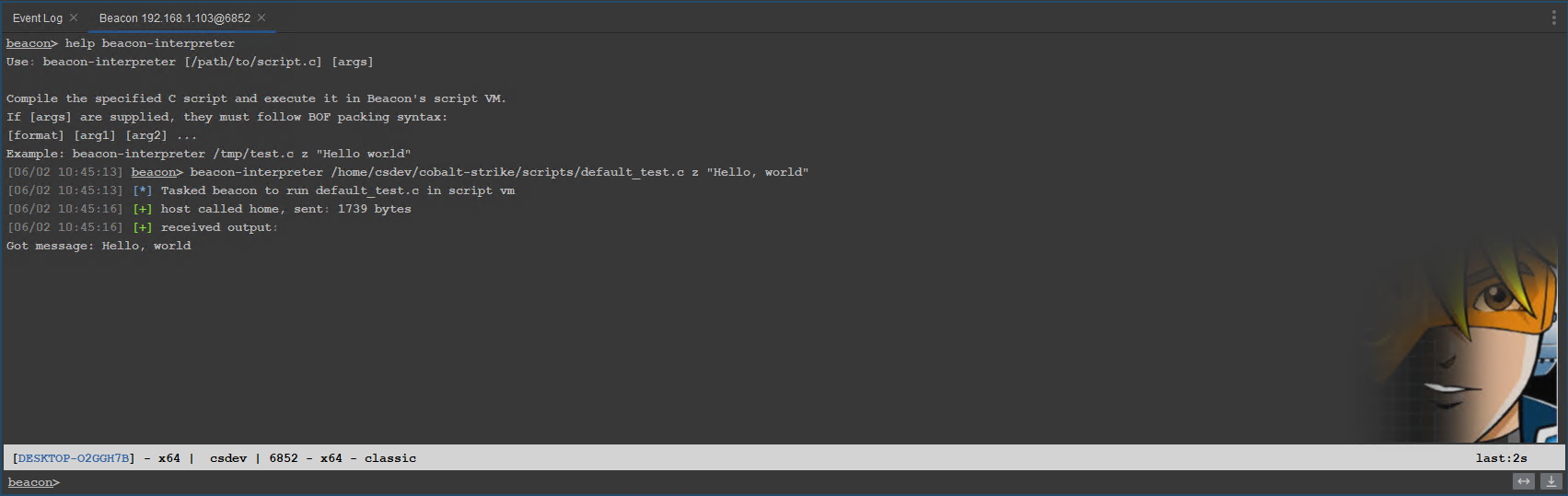
figure 68 - beacon-interpreter command in the Beacon console.
Each script tab in the script editor window includes the same functionality available from the buttons at the bottom of the script window.