In the EFT Server administration interface, connect to EFT Server and click the Server tab.
In the left pane, click the Server node.
In the right pane, click the General tab.
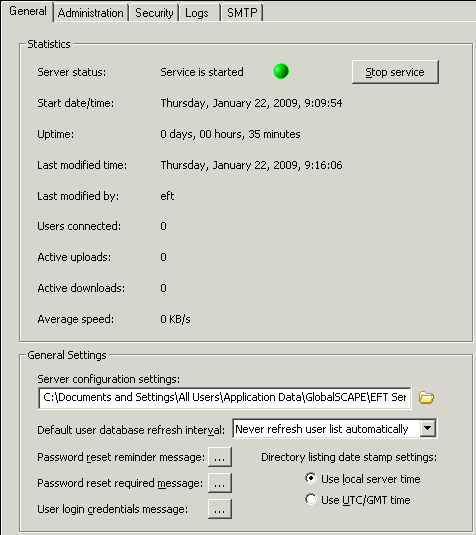
Next to User login credentials
message, click the browse icon  . Your
default text editor, usually Notepad, opens with the reminder text.
. Your
default text editor, usually Notepad, opens with the reminder text.
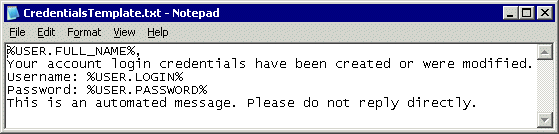
Edit the text as needed, being careful not to delete the variables (%USER.FULL_NAME%, %USER.LOGIN%, %USER.PASSWORD%), then save the file and close the text editor.
Click Apply to save the changes on EFT Server.