In the EFT Server administration interface, connect to EFT Server and click the Server tab.
In the left pane, click the Site you want to configure.
In the right pane, click the Connections tab.
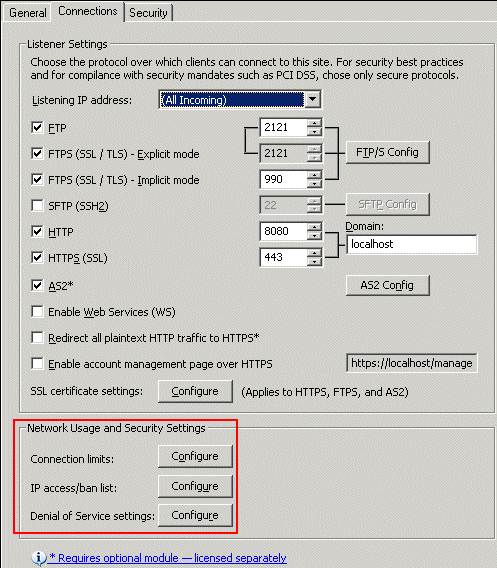
In the Network Usage and Security Settings area, next to Connection limits, click Configure. The Connection Limits dialog box appears.
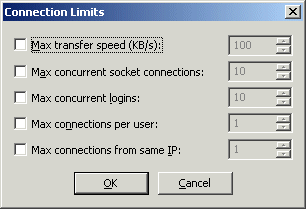
Select the Max concurrent logins check box, then specify the maximum number of logins you want to allow at any given time. If the box is cleared, EFT Server does not restrict the number of logins.
Click OK to close the dialog box.
Click Apply to save the changes on EFT Server.