Troubleshooting
Refer to Initial Configuration for various configuration that must be set for Insight to function properly.
Below are various errors you might encounter.
-
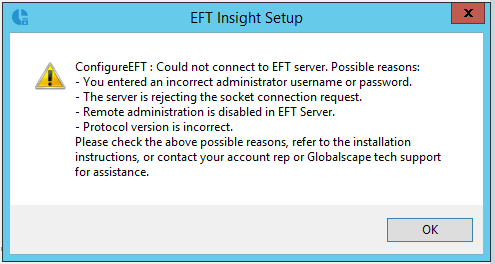
While the installation is checking the EFT connection settings, if the "ConfigureEFT" error message below appears, check the following:
-
Username
-
Password
-
IP Address of EFT
-
Remote admin port
-
Verify remote administration is enabled
-
If SSL is enabled for remote admin, check the expiration date on the certificate
-
During installation:
-
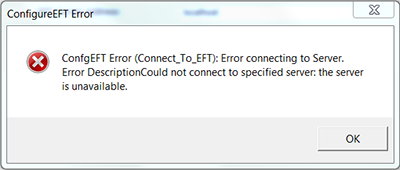
"the server is unavailable" may indicate a network connection issue or an offline server:
-
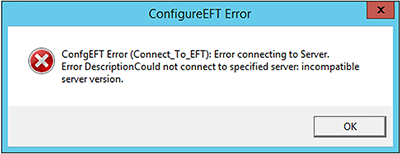
While "incompatible server version" indicates an incorrect version of EFT:
-
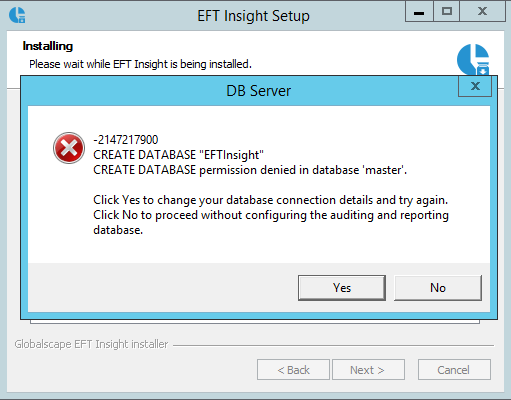
If the SQL account you are using does not have sufficient permission to create the Insight database, the "permission denied in database" error appears. If you encounter this error, you must restart the Insight installation process with an account that has sufficient permissions.
-
If multiple websites are managed by IIS and a port conflict occurs, there is no feedback to the user about it during the installation of Insight. The Insight website in IIS will not start and a port conflict error is reported. The resolution of this problem is a manual process. That is, use the IIS Manager to make changes (bindings, ports, certificates) to the Insight website.