Roles
User access to Fortra Application Hub and its products can be secured through the use of Roles, which are collections of authorities that define a user's permissions for managed systems and products.
#1
You have a team of accountants who are all part of the security group ACCOUNTING. By default, everyone in the ACCOUNTING group gets access to basic Fortra Application Hub functionality. However, you have a few accounting supervisors who need access to the Powertech test systems. You want to give them this authority without changing the privileges of everyone in the ACCOUNTING security group.
To achieve this, you would create an Accounting Supervisor Role with access to the Powertech test systems and assign it to an ACCOUNTING SUPERVISOR Security Group. Because the accounting supervisors are part of both Security Groups, and because both Security Groups have their respective Roles attached, the supervisors will inherit permissions for basic Fortra Application Hub functionality and the Powertech test systems. Regular accounting users will not be affected.
#2
You have three system engineers that only need access to Powertech Antivirus in Fortra Application Hub. You want to give them authority to all product functions for Powertech Antivurs but limit their access to other areas of Fortra Application Hub. To achieve this, you could create a Role that is authorized to Powertech Antivirus, and Fortra Application Hub Product Licensing, then assign it to each engineer.
Fortra Application Hub comes with a default role that is created when you first log on as an admin. The admin role cannot be deleted and has full authority to all areas of Fortra Application Hub.
How to Get There
In the Core Menu, click Security, then click Roles.
Sorting and searching
-
Click Name to sort roles by name.
-
Use the Search bar to quickly find roles by name.
Available actions
-
Click
 to refresh the list of roles.
 -
The total number of roles is listed at the bottom of the display. Click the
 previous and
  next arrows to move to an additional page.
 -
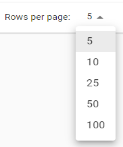
You can select the number or roles to display on each page.
-
Click
 to add a role.
 -
Click
 Show Actions next to any role and click Edit Role to open the Edit Role drawer where you can edit the details of an existing role.
 -
Check box next to role and click Delete to deleta role.