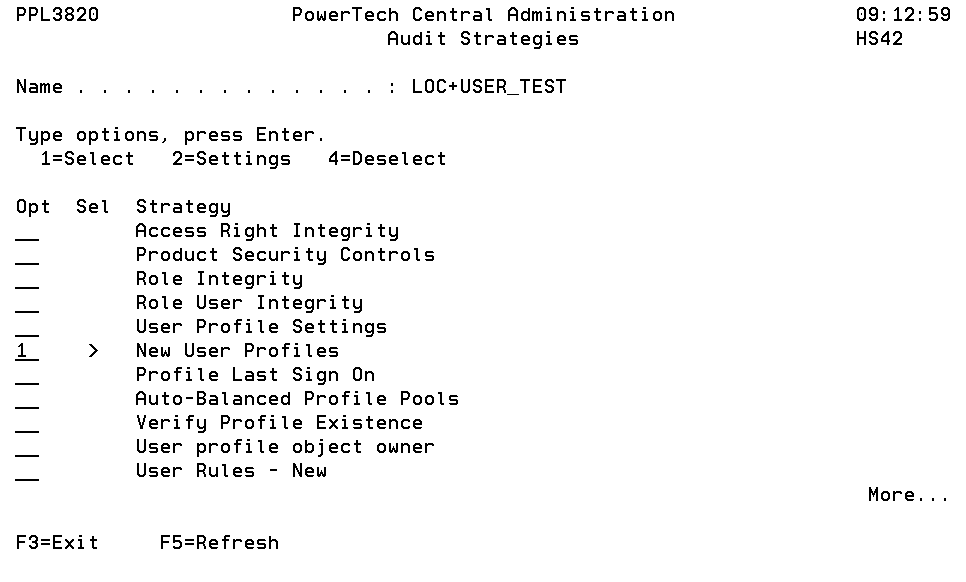
Audit Strategies panel
The Audit Strategies panel allows you to create, modify, delete and perform other operations upon Audit Strategies. Audit Strategy determines how a set of items will be audited, and against what criteria they will be audited. An Audit Definition may contain more than one Audit Strategy. Each Audit Strategy may or may not have settings to control its operation.
How to Get There
In the Audit Definitions panel, choose option 7 for an Audit Definition.
Options
1=Select: A selected Strategy will be processed during the next Audit run. You may select several items at once.
A greater-than symbol (>) in the Sel column indicates that the Audit Strategy is selected for use. A selected Strategy will be processed during the next Audit run.
2=Settings: Allows you to maintain any settings the Strategy might support. Not every Strategy supports settings. See Audit Strategy Settings panel.
4=Deselect: A deselected Strategy will not be processed during the next Audit run. You may select several items at once.
Command Keys
F3=Exit: Exit the program.
F5=Refresh: Refreshes the panel with the most current data.