Task Builder Options
Overview
The Task Builder contains its own set of options that can be configured to meet a user's specific needs. They include color, icon and font settings, viewing options, debug preferences, and formatting properties. Task Builder options can be accessed using File > Options.
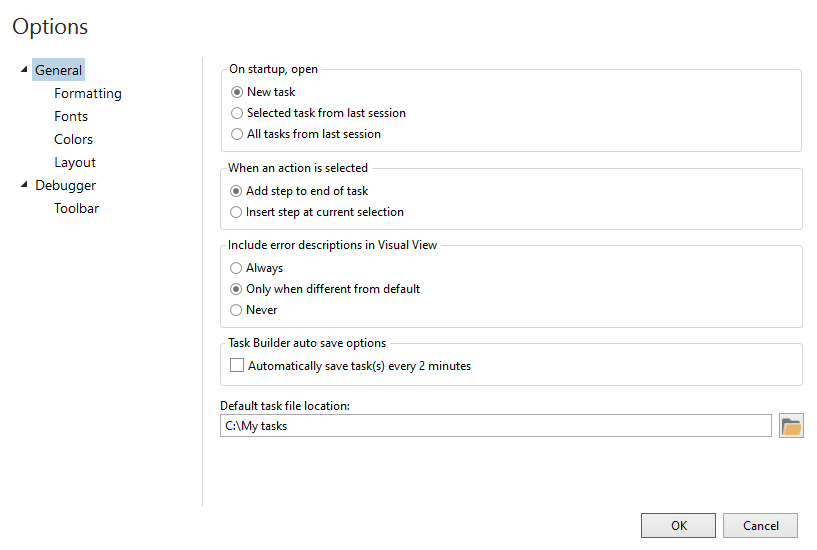
Available options
Task Builder options are grouped into six separate categories, each encompassing specific preferences and options. The following table lists the available categories, with links to the topics covering each.
| Option | Description |
|---|---|
| Color Options | Contains options that determine the color to use for the Task Builder interface or allows adjustments to be made to the current color scheme. |
| Debugger Options | Contains options that affect Task Builder's behavior while running and debugging tasks. |
| Fonts Options | Contains options to modify the font name, size, and style to use for the Visual view and the AML view. |
| Formatting Options | Contains options that deal with how steps are formatted in the Steps pane. |
| General Options | Contains options that determine certain behavioral characteristics of Task Builder. Also determines the default managed task location. |
| Layout Options | Contains an option to reset Task Builder back to its original (default) layout. |
| Toolbar Options | Contains options that determine the look and feel of Automate Desktop debugger toolbar. |