Listener Management
To manage Cobalt Strike listeners, go to Cobalt Strike -> Listeners. This will open a tab listing all of your configured payloads and listeners.
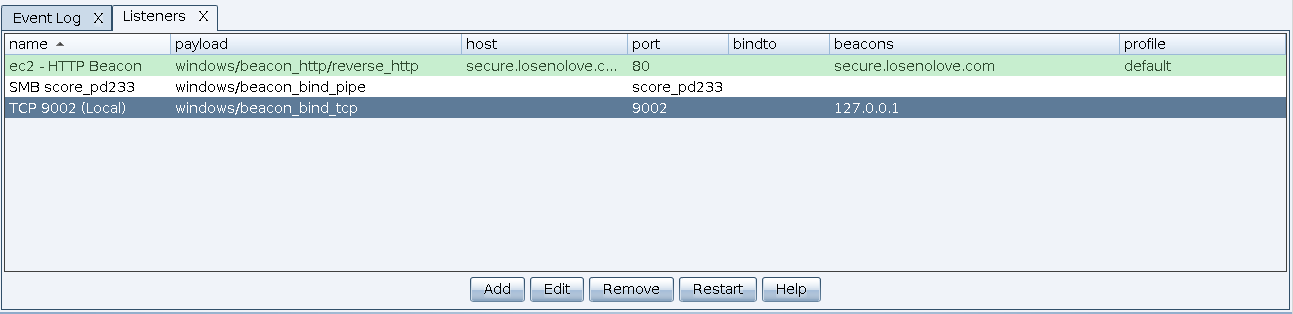
figure 21 - Listener Management Tab
Press Add to create a new listener. The New Listener panel displays.
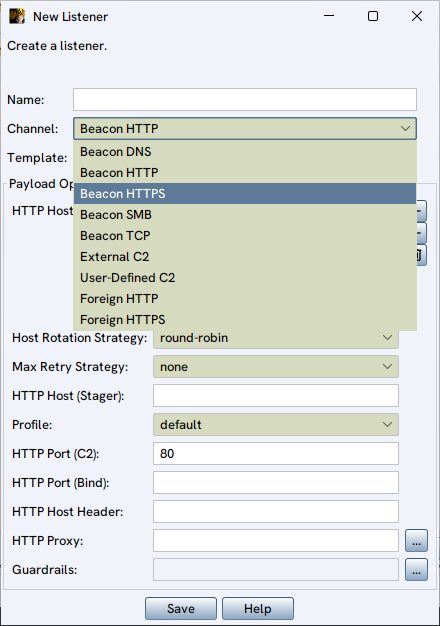
figure 22 - New Listener Panel
Use the Payload drop-down to select one of the available payload/listener types you wish to configure. When you configure a listener, you can select which Beacon DLL template to use: MSVC Beacon or LLVM Beacon. These templates are functionally equivalent. However, LLVM Beacon uses a custom C runtime, so it is significantly smaller. Each has different parameters and are described in the following sections:
To edit a listener, highlight a listener and press Edit. To remove a listener, highlight the listener and press Remove.