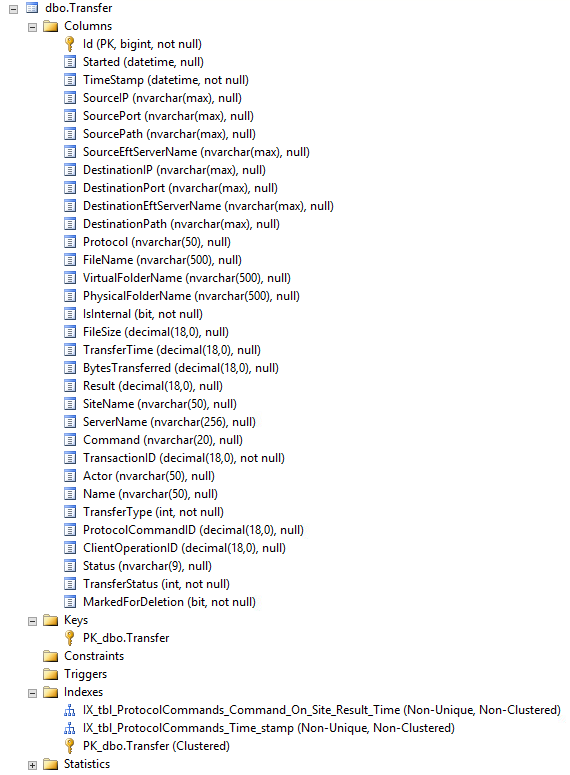
The EFT Insight database is separate from the EFT Auditing and Reporting (ARM) database. All reporting displayed in EFT Insight is done against its own database. When EFT Insight is installed, it synchronizes with an initial dataset of the ARM data (based on the Days of historical data to import setting in the installer). After that, the BI process (EFT Insight Service) continually extracts information from the ARM database and inserts it into the EFT insight database. This is the data appears in the EFT Insight dashboard.
Consider the following when installing and configuring a database for use with EFT Insight:
Refer to System Requirements for database versions supported.
If the ARM database is using Windows Authentication, you will need to configure the Insight service to run as a Windows account that has permission to access the ARM database.
When installing Insight, for setup to complete successfully, you will need database credentials with permission to create and edit databases and to create and update tables and for inserting and reading data. If the database account you are using does not have sufficient permission to create the Insight database, you will encounter an error and have to start the installation over (with the proper permissions). (If you later need to remove Insight, but not the database, you can reinstall Insight and connect to the same Insight database with the same credentials.)
(added in v1.0.7) Version 18.1.0.0 of Microsoft OLE DB Driver for SQL Server is automatically loaded during the installation of EFT Insight v1.0.7.
(added in v1.0.7) Connecting to Oracle should be looked at from these two perspectives: The ARM database connection from EFT Insight is read-only; the EFT Insight database is a read-write connection. If you are using an Oracle database, you need:
Oracle Data Access Components (ODAC) for Oracle Client.
Oracle system identifier (SID). The name cannot have any spaces.
Database server IP address or server name along with the TCP Port information in the format hostname:port. The default TCP port for Oracle is 1521.
Database schema/owner username and password
Database maintenance is very important to performance. In every database, index fragmentation results from inserts, updates, and deletes. Regularly rebuilding the index can improve performance. In SQL Server Enterprise Edition, index rebuilding can even take place while online. Refer to https://docs.microsoft.com/en-us/previous-versions/technet-magazine/cc671165(v%3dmsdn.10) for information about SQL Server database maintenance. (Performance is also affected by the hardware and RAM of the computer on which the database is installed.)
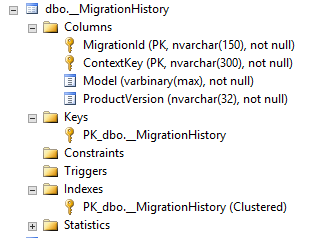
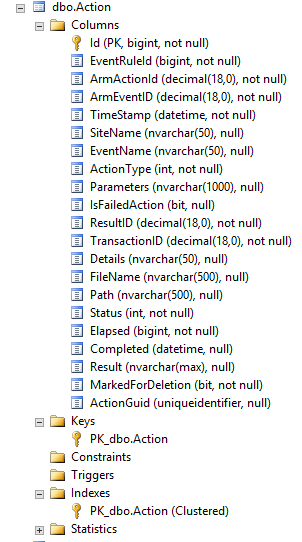
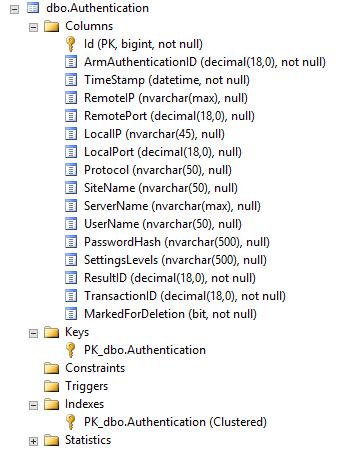
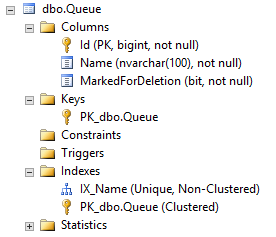
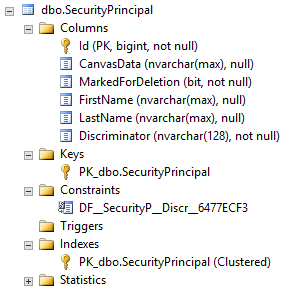
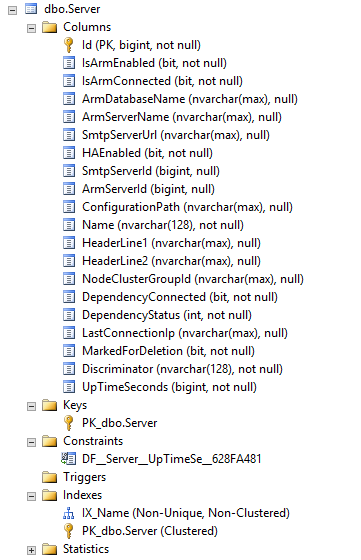
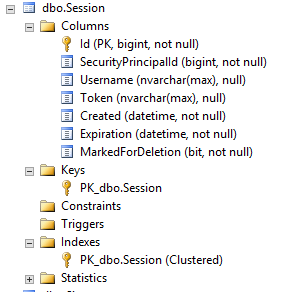
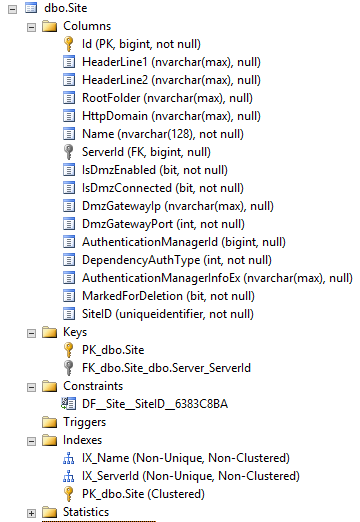
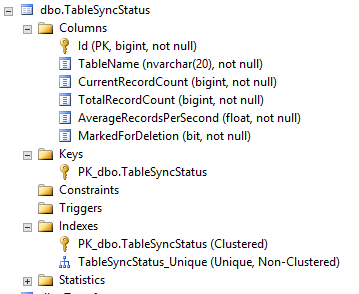
The following tables, with intuitive names, are created during installation of EFT Insight. (You can also use SQL Server Management Studio to view the tables.)
MigrationHistory
Action
Authentication
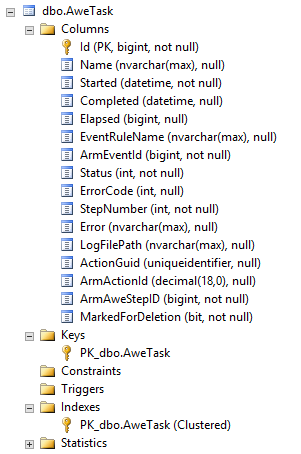
AweTask
See AWE Tasks Tab for more about AWE tasks in EFT Insight.
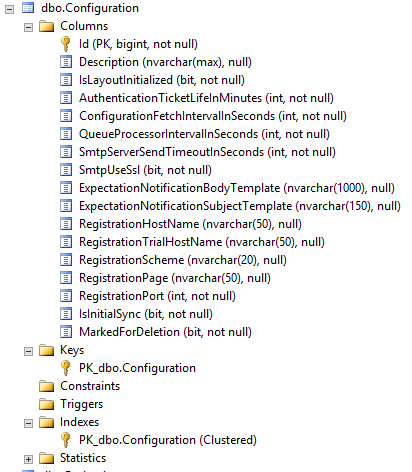
Configuration
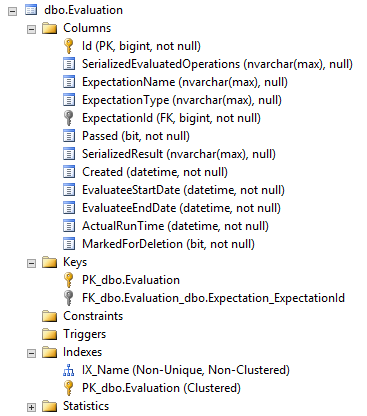
Evaluation
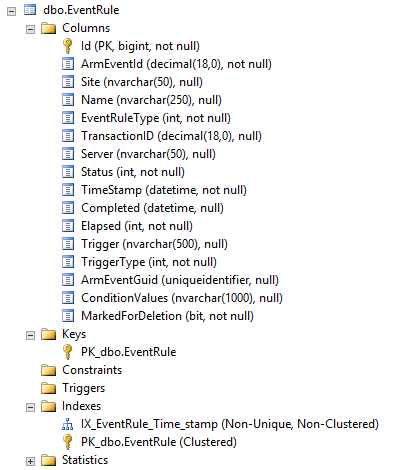
EventRule
See Event Rules Tab for more about Event Rules in EFT Insight.
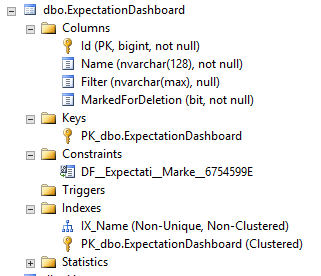
ExpectationDashboard
Refer to Expectations Tab and Filters for more about EFT Insight Expectations and filters.
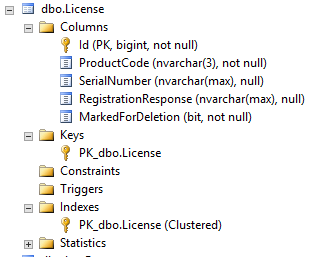
License
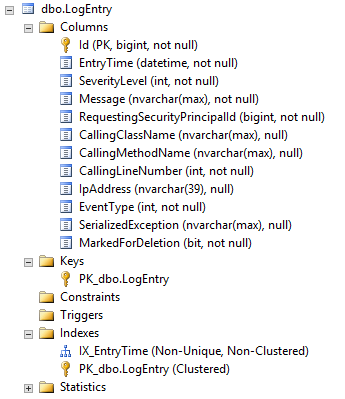
LogEntry
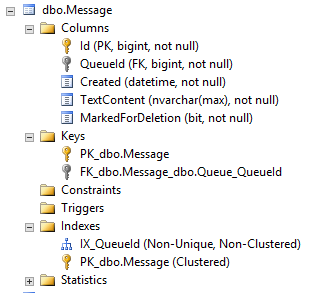
Message
Queue
SecurityPrincipal
Server
Refer to Servers Tab for more about servers in EFT Insight.
Session
Site
TableSyncStatus
Transfer
Refer to Transfers Tab for more about transfers in EFT Insight.