Setting Traffic Indicators
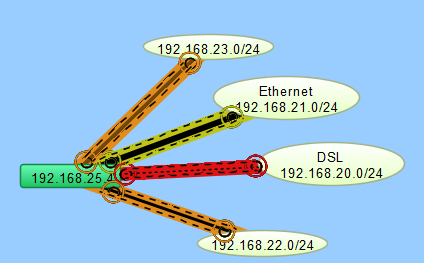
You can use traffic indicators to help you view network activity on a map. You can set the traffic levels at which moving ants are displayed to show you the level and direction of activity of a particular link.
You can use the Traffic section of the Map Settings window to turn on and configure traffic indicators for a map. You cannot set traffic indicators for a specific device or link.